

Everyone is talking about “digital sovereignty” and about the need to eliminate dependencies. At first glance, that sounds good, but for most people it is so overwhelmingly abstract and intangible that hardly any concrete recommendations for action emerge from it. Here is an approach that breaks big words down into small steps.
What to expect here
A pragmatic guide that helps everyone become a little more independent from digital services hosted outside the EU - without extremes or hyperbole, without dogma, and with practical tips for making the switch - and that also shows how to create more options for yourself without adding much difficulty.
Two extremes, neither of them helpful
People are quick to fall back into classic black-and-white thinking and argue that there can only be “all or nothing.” Partial solutions are dismissed. Some claim that sovereignty is impossible without domestic (European) hardware manufacturers. In reality, that view is too convenient and too simplistic. For one thing, the status quo cannot be changed (in the short term) by individual action. This argument therefore serves as an excuse to keep doing nothing and isntead pointing at a myriad of other parties that, according to them, "ought to be doing something". In addition, it confuses “sovereignty” with “autarky.”
Some even advocate a complete withdrawal from online life, which may be an appealing idea for some individuals but is unrealistic for the everyday lives of most people. After all, this is not about turning away from digitalization.
The first step is about expanding individual options - not about a radical cut followed by a desperate search for alternatives.
At G DATA, too, we regularly receive inquiries from people looking for an alternative to their security software. Strategy matters here. “Replace instead of switch off” is the advice that works best for private users, companies, and public authorities alike.
A journey of a thousand miles…
But what can each individual realistically achieve, on a small scale? First and foremost, it is important to understand that this is not a competition. It is not about competing with others to determine who is more sovereign, more independent, or more self-sufficient. No, this is much more personal. No one has to justify their “digital strategy” to the public.
But where do you even start with such a mammoth project? Anyone who tries to do everything at once will quickly run out of steam. There are so many different factors and individual components that it is impossible to restructure everything at the push of a button. This is the key insight:
“Digital sovereignty” is not a 100-meter sprint with a clearly defined start and finish.
A strategic approach is required, and that takes time. The steps described below do not have to be completed one after another in a single day. Take as much time as you need. Not everything that seems important at first glance is actually a priority or quickly (or even at all) achievable. Since our lives are now almost completely digitized in many areas, the first step must be an inventory.
Note: this is not meant as an evaluation, but simply as a completely value-neutral snapshot of the current state, without assigning any type of moral or technical verdict to it.

...begins with one first step
The initial question, then, is: “Where do dependencies exist?” Take a pen and paper, or open your preferred notes app, and write down which digital services you use. Important: this is not about ranking or ordering them. It also does not matter which country a provider or service comes from. Write down everything that comes to mind - even duplicates are fine. You can always add things later if you forget something. Here is an example of services many people use - feel free to name them explicitly:
Email: Gmail, GMX, iCloud
Photo and file storage: Dropbox, iCloud, Google Photos
Streaming services: Netflix, Disney+, Amazon Prime, Spotify, Tidal, Audible
Messenger apps: Facebook Messenger, WhatsApp, Telegram
Social media platforms: Facebook, X, Instagram, TikTok, Xing, LinkedIn
Calendar apps: Google Calendar, iCalendar
Navigation: Google Maps, Komoot, Calimoto
Password managers: LastPass
Keep this sheet or note - we’ll need it again. And again: no one else ever has to see it.
Triage
Now take another sheet of paper and place it next to the first one. Divide it into three columns. Label them: “I can’t do without,” “I’d miss it but could live without it,” and “I don’t really need this.”
Now assign all the services from your first list to one of these categories. Deciding whether you truly need a service is difficult and can’t be answered universally. A question everyone can answer for themselves is: If this service disappeared overnight, what would I do? How could I replace it? When was the last time I actually used it?
Interim result
Once all services have been sorted into a category, you have taken a significant step: Acknowledging the current status and taking stock.
Everything in the “I can’t do without” category represents an individual dependency. That’s not inherently bad - as mentioned, this is not about judging. What matters now is finding alternatives and contingency plans. That isn’t always easy. But why is that?
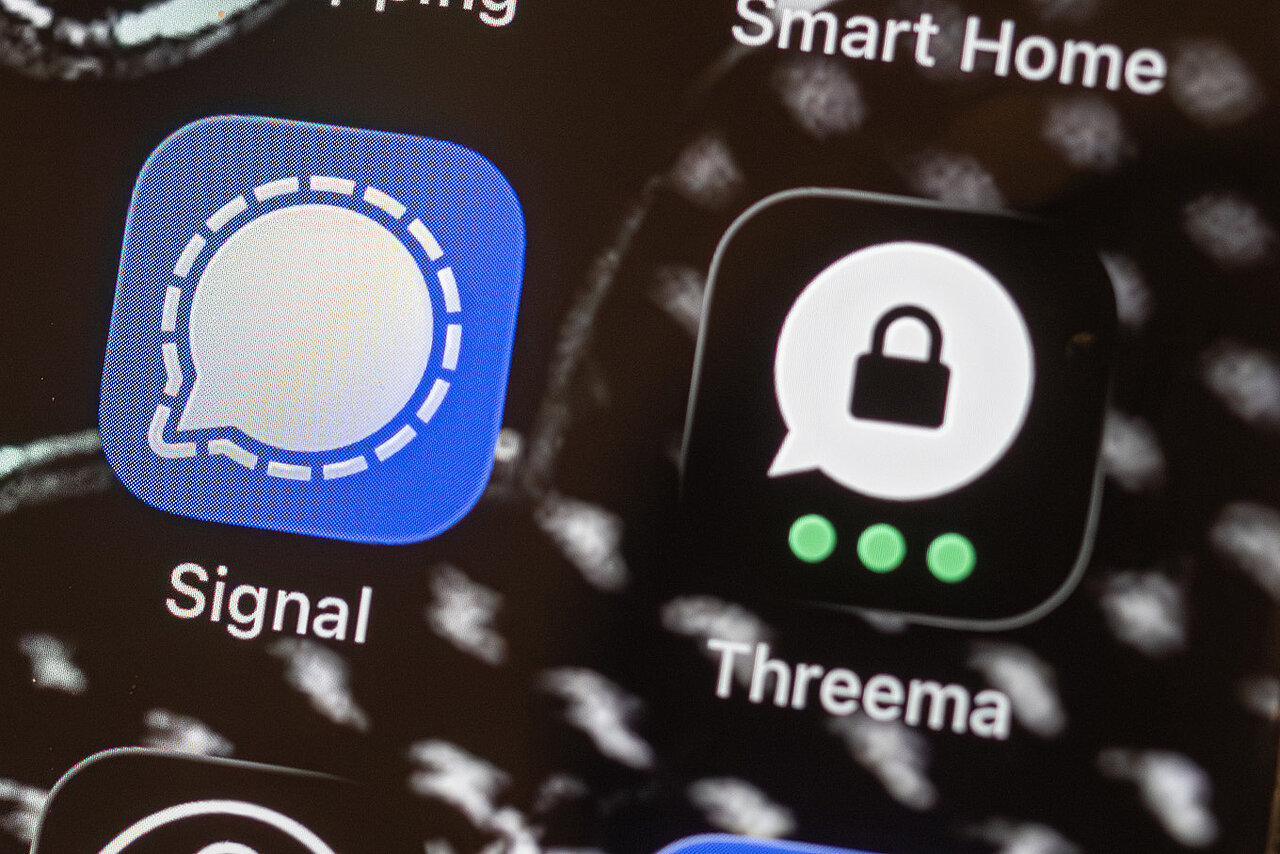
Example: Messengers
WhatsApp holds a dominant position. Most smartphone users have Meta’s app installed. This makes the choice of communication platform fairly obvious for most people: they use the platform that most others already have. But what if WhatsApp suddenly disappeared? Alternative platforms exist, but they are nowhere near as widespread: Signal, Telegram, Matrix, Threema—there is a choice. The downside is that comparatively few people have these apps installed or even know about them.
A potential pitfall
Be careful: You might now be tempted to try and “convert” others by preaching the gospel of data protection, better encryption, more anonymity, open source, or other technical details. In practice, this rarely works if the other person is not (yet) ready to switch. Attempts at persuasion often trigger resistance instead.
Many then rightly ask why they should install “yet another app” when “everyone” is on WhatsApp. A possible response could be: “Sure—that’s why I’m still there. I just want to have an alternative in case WhatsApp stops working. I’m still reachable on WhatsApp.”
Technical arguments only convince in a few cases, especially among less technically inclined users. For those technically inclined and knowledgeable, it's literally "preaching to the converted".
Political or dogmatic debates (“I’ve got nothing to hide!”) can also be easily avoided that way. A note in your WhatsApp profile such as “Better reachable via Signal!” can be a helpful hint.
Example: Social networks
Staying in touch with friends and acquaintances and sharing at least a glimpse of their lives is extremely important for many people, and they can hardly imagine life without it. Trying to persuade friends to abandon Meta/Facebook, TikTok, or Instagram will quickly feel like a fool's errand. The author knows from personal experience: it almost always leads to contacts fading or breaking off entirely—you no longer see what friends post, you might miss certain events, and practically drop off the radar. Since the feeds of those who remain are no less “full,” most people don’t even notice—sometimes it even leads to rumors that you’re no longer alive.
The step and decision decision to leave a network can only be made by each person themselves. And when that decision is finally made: let your contacts know that you haven’t “dropped off the face of the earth”.
Until then, you can point out alternatives. Whether Bluesky, Mastodon, Substack, Pixelfed, or the good old newsletter—alternatives to "established" networks exist, though they are less widespread.
That may sound like a disadvantage at first, but it has many positives—especially little to no advertising, particularly on decentralized networks like Mastodon that don’t belong to a corporation.
Example: Cloud storage
Without cloud storage, many things become more difficult. On most smartphones, photos are automatically uploaded to the cloud so they can be restored if the device is lost. Photographers like to send Dropbox links so clients can download their images. By doing so, people entrust their photos and data to a cloud provider - with all the consequences that entails. Fortunate is the one who is their own cloud provider. And that is easier than many might think. There are ready-made solutions where you just plug them in and everything works. Others prefer to build it themselves and trust only what they have set up on their own. There is something for every taste and budget. An old computer, a few new hard drives, and an afternoon of time - and your own “homebrew” cloud is ready. With software like Nextcloud, setup is quick. In everyday use, there is practically no difference in usability between a commercial cloud service and a self-hosted one. The only difference is where the files are stored and how resilient the system is - and frankly, how much work, if any, you are willing to do yourself.
Because if you become your own hoster, you also inherit all the "fun" duties that come with the territory: Updates, Patches and configuration changes will demand a chunk of your time. Hosting your own file cloud, while definitely possible, might start feeling like a second job at some point. It is not a "set and forget" solution. Some people embarked on this journey with a lot of enthusiasm, but ran out of momentum (and spare time) to keep up with the demands, eventually going back to some hosting provider that will do the heavy lifting.
None of the steps described here has a prescribed timeline. You set the pace. Breaks are perfectly fine. This makes switching to alternative offerings far less stressful than a “rip-the-bandage-off” approach. A slow transition or gradual expansion of options is also better for your mental well-being.

What now...?
Remember the piece of paper with the categories into which you sorted your services? Take another look at the category “I don’t really need this.” How do you see these entries now? Would you be willing to look for alternatives here or do you feel like you cannot be bothered? If you find yourself thinking, “Actually, I could do without these,” then delete the app, close the account, or cancel the subscription. Along the way, you may not only save some money but also reduce some of your digital clutter.
Did you notice something while reading this article? Nowhere (except in the introduction) did the terms “digital sovereignty” or “data sovereignty” appear. The message is that no one should be intimidated by grand-sounding concepts. Alternatives exist. Whether file hosting or security software—there are even solutions from Germany that can easily compete with providers from the rest of the world. This is not about radical reinvention or rejecting everything that is convenient, nor about grand designs—but about small steps that are possible for everyone.
Useful links
The German hacker collective Chaos Computer Club is declaring a "Digital Independence Day" every month. On the webseite of "DI-Day" you can find lots of useful tips and links to further resources on the topic.